
Appearance
Ladder Logic Overview
Last updated
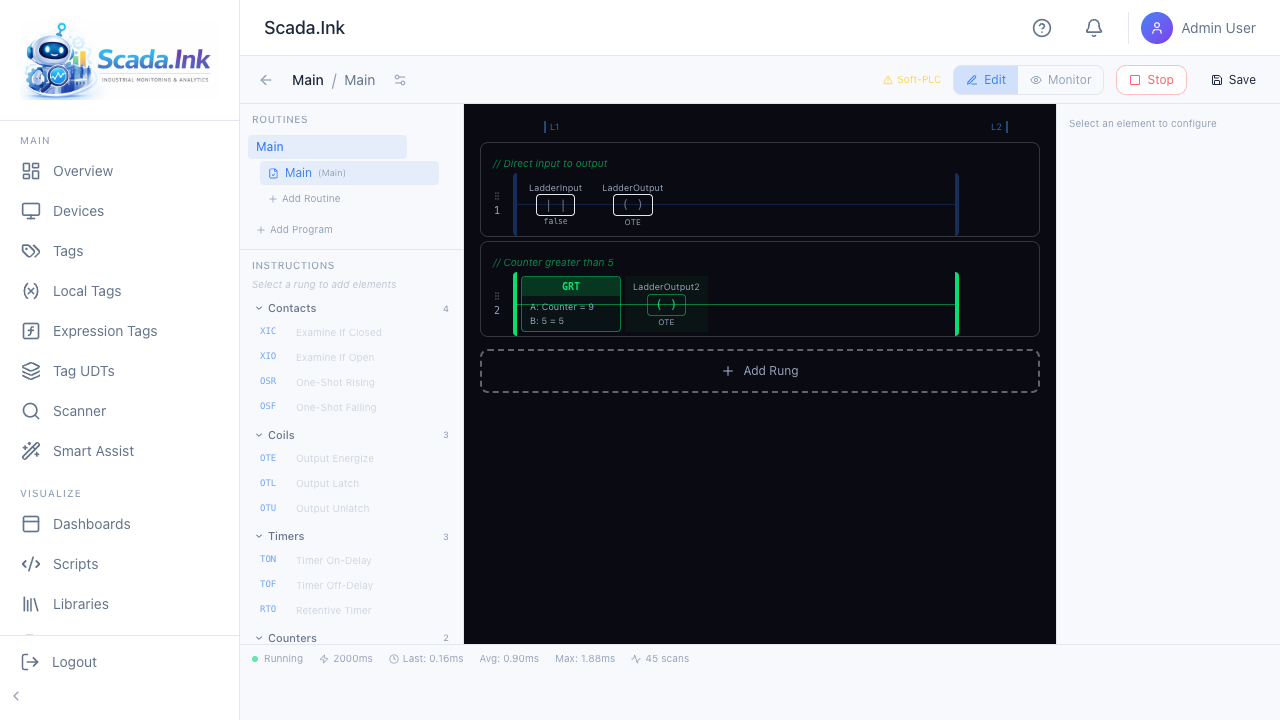
License feature: Ladder LogicLadder Logic is a soft-PLC built into Scada.Ink. You draw rungs of contacts, coils, timers, counters and math in an editor modeled on Allen-Bradley CompactLogix, and the appliance scans them over and over, reading and writing tags.
Warning: The soft-PLC is for monitoring, data processing and non-safety-critical automation. It runs on a general-purpose operating system inside the same process as the web server, with no real-time guarantee and no watchdog. Never use it for E-stops, guarding, burner management or anything where a late or missed scan could hurt someone or damage equipment. The Ladder Logic page shows this notice at the top for that reason.
When to use it
| Use | For |
|---|---|
| Ladder logic | Logic that must be re-evaluated continuously: interlock permissives for an HMI, derived status bits, run timers, analog scaling, simple sequencing, alarms computed from several signals |
| SFC chart | Step-by-step sequences (fill → heat → drain). See Sequential Function Charts |
| Workflow | Event-driven actions — send an email, call a URL, copy a value at shift change. See Workflows |
| Script | Data handling, HTTP, databases, anything with strings or loops. See Scripts |
Key ideas
- Task — owns a scan loop, periodic (every N ms) or continuous. A task holds programs.
- Program — a group of routines with its own internal memory. Each program runs its Main routine every scan.
- Routine — a list of rungs (or an SFC chart). Routines other than Main run only when called with JSR.
- Rung — one line of logic, evaluated left to right. Elements on a rung are in series: power passes on only while every condition so far is true.
- Scan — one pass: read the tags the logic uses, solve every rung, then write the results. See The Scan Cycle.
Worth knowing before you start
- Outputs to a real PLC are written only when they change, and again if the device still reads differently two seconds later. The PLC device needs Tag Write Access turned on, or nothing is sent and the task log says why. See Tags and Addresses.
- Parallel branches give a rung OR logic: select an instruction and click its branch button. See The Ladder Editor.
- Timers and counters need an address (such as
T4:0orC5:0) to be read from other rungs or reset with RES. - Stopping a task leaves outputs as they were unless the task's When the task is stopped setting is Switch outputs off.
Licensing and access
- The Ladder Logic license feature is needed for the sidebar entry, the pages and the scan engine. Without it, saved tasks stay in the database but nothing scans.
- Sequential Function Charts is a separate feature on top of it.
- Viewing tasks: any signed-in user with the page. Creating, editing, saving, starting and stopping: Admin or Editor. Deleting tasks, programs and routines: Admin only. Administrators can restrict individual tasks to named users (view, edit, run).